

Swissboards
UI Design
January, 2019
Project Details
Project type:
UI Design. Visual Design, UI Animation.
Client:
Swiss Boards & Co, Switzerland.
Industry:
Technology, Sports.
Design Tools:


-
Adobe Illustrator for icons and UI artworks.
-
Adobe XD for prototyping and user testing.
Initial Brief:
"Our company builds and sells electric skateboards. We target the premium market with an audience of 16-50 year old's, both male and female users.
These electric skateboards are controlled via a remote controller, and ours has a 1.39 inch AMOLED display on it so we have a chance of providing our customers with instant telemetry data, and we don't want that data to be just a bunch of numbers but rather a beautiful UI which complements the gorgeous display."
■ Images of the electric skateboard and its remote controller are designed and trademarked by Swiss Boards & Co™.


Platform
Remote controller:
The LS1 Electric Skateboard comes with Swissboards' trademarked remote controller that completely customize the user experience during and outside riding time.
Smart Watch:
Researching the controller screen specifications revealed that it is identical to those implemented in several popular smartwatches brands in the market.
Therefore I designed the UI as if its a smart-ware following the guidelines of both Android Wear OS and Apple Watch OS Human Interface to meet the highest UI standard.
■ The decision to follow smartwatch UI standards proved to be business-saving when the controller manufacturer factory in China had to shut down due to COVID later.

Information Architecture
The app will only have the features that:
-
Display main stats.
-
Customize skateboard.
-
Most popular in similar applications.
-
Most needed based on user research.
App features were then shortlisted, categorized, and prioritized according to frequent of use and urgency:

Dashboard: View current speed and batteries charge.

Performance: Adjust board speed & acceleration.

Destination: Measure a trip distance.

Settings: Change environment Settings.
UI Pattern
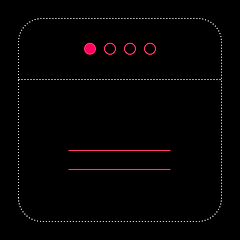
Although displaying gorgeous widgets on a home screen following a Dashboard UI pattern was tempting, but the safe traditional tabbed view pattern was the direction for the following reasons:
UI 101: All categories have distinct content but closely related.
Usecases: Users may need to access any feature at any time.
Safety: Users may need to access a specific feature operating a vehicle instantly, critically and distinctively.
Building: Tabbed view navigation makes a perfect use of the controller's crown.
Tabbed View
>
Round Display

>
Device Design

>
Ergonomic Design

✔
User Flows
Wireflows shown here combine the wireframes and the user flows for the entire app experience.


Design
Solving one of the most difficult design challenges with original UI that effectively use entire small display real estate.
Clean color palette that features a striking pink color that challenges the brightest environments, balances masculinity, and announces innovation!

Rubik font by Google Creative Lab is described as Bold, soft, and light.
With few spacing adjustments, Rubik quality and characteristics make it great choice for the smallest displays.
Unfamiliar icons ( such as for Board and Remote) were replaced with text based after tested on the street.
Micro
Animation
Animation and micro animation designed for a pleasant and engaged user experience.

System
Status
Seamless transitioning between the application and the system messages and status.


Visual Artwork
